Branding your network
Make the panel feel like your own product — logo, dark-mode variant, the "Powered by" footer, and your panel addresses.
Updated 2026-06-09
White-labelling is what turns "a TrackOfferz network" into your network. Your publishers and advertisers should see your brand, not ours. Everything lives under Settings → Branding.
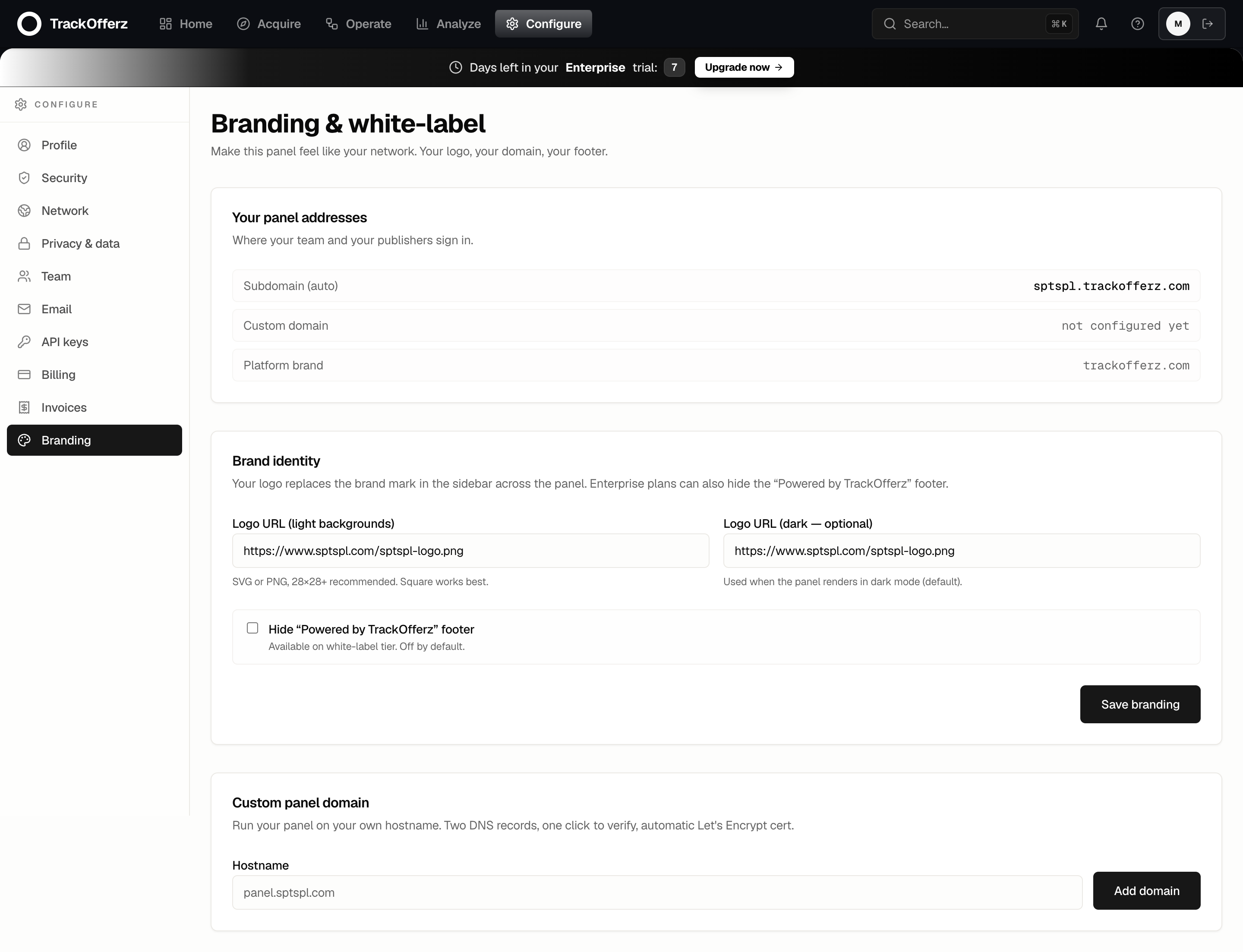
Your panel addresses
The top section shows the three ways people reach your network:
| Address | What it is |
|---|---|
| Subdomain (auto) | Ships out of the box at {your-slug}.trackofferz.com. Always works, never removed. |
| Custom domain | Your own hostname (e.g. panel.yourcompany.com) once you add it below. |
| Platform brand | The underlying platform host. You don't manage this. |
Brand identity
This is where your logo replaces the TrackOfferz mark across the sidebar and the whole panel.
- Logo URL (light backgrounds) — paste a public URL to your logo. SVG or a PNG around 28×28 works best; a square mark scales most cleanly into the sidebar.
- Logo URL (dark — optional) — a second logo used when the panel renders in dark mode. Leave it blank and the light logo is used everywhere.
- Hide "Powered by TrackOfferz" footer — on Enterprise plans, tick this to remove the platform credit entirely. (It's on by default on lower tiers.)
- Click Save branding. The change is live immediately — refresh any open panel tab to see it.
Host your logo somewhere stable and public — your own CDN or marketing site. The panel loads it by URL on every page, so a link that 404s leaves your sidebar logo blank.
Custom panel domain
To go fully white-label, run the panel on your own hostname instead of the trackofferz.com subdomain.
- Under Custom panel domain, enter your hostname (e.g.
panel.yourcompany.com). - Add the DNS record your provider asks for — a CNAME pointing at the platform brand host.
- Click Add domain, then Verify. The platform issues a Let's Encrypt certificate automatically, usually within seconds.
The full DNS walkthrough — including the Cloudflare-proxy gotcha — is in Setting up a custom domain.
Your subdomain and custom domain both work for the same network — same login, same data. The custom domain is additive; the subdomain is never taken away.
What your partners see
Once branded, a publisher or advertiser signing in at your URL sees your logo in the sidebar, your domain in the address bar, and — on Enterprise — no mention of TrackOfferz anywhere. To them, it's your platform.