Reading your network reports
Every click and conversion lands in real time. Here's how to slice the data, read the columns, and export.
Updated 2026-06-09
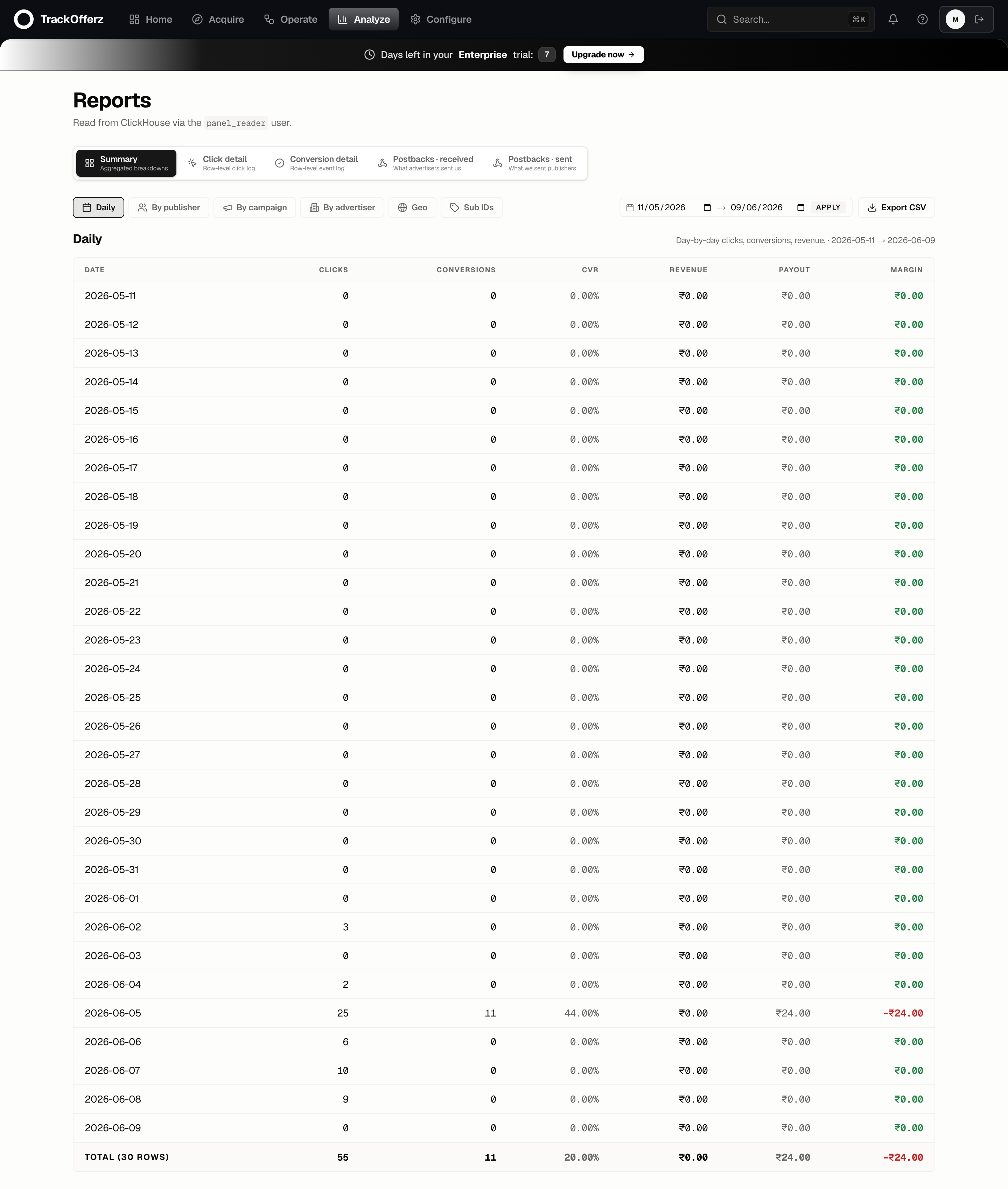
Reports are where your network's activity shows up — clicks, conversions, revenue, payout, and margin, all read live from the edge's event store. You'll find them under Reports in the top menu.
Pick what you're looking at
The row of tabs at the top selects the report type:
| Report | Shows |
|---|---|
| Summary | Aggregated clicks → conversions → revenue → payout → margin. |
| Click detail | Every individual click, with its sub-IDs, geo, device, and result. |
| Conversion detail | Every conversion, with its transaction ID and the click it ties to. |
| Postbacks received | Inbound postbacks from advertisers (did the conversion fire?). |
| Postbacks sent | Outbound postbacks to publishers (did we tell them?). |
Group and filter
Below the report type, you control how the data is sliced:
- Granularity — Daily is the default. The table shows one row per day in your range.
- Group by — break the numbers out By publisher, By campaign, By advertiser, By geo, or by sub-IDs. This is how you answer "which publisher is actually converting?".
- Date range — pick a start and end date, then click Apply. The page notes the timezone the day-boundaries respect.
Reading the columns
The Summary report's columns, left to right:
| Column | Meaning |
|---|---|
| Clicks | Tracked clicks the edge accepted. |
| Conversions | Postbacks confirmed against those clicks. |
| CVR | Conversion rate — conversions ÷ clicks. |
| Revenue | What the advertiser owes you. |
| Payout | What you owe the publisher. |
| Margin | Revenue − payout. This is your take. Green is positive, red is negative. |
A negative margin (shown in red) means you're paying publishers more than the advertiser is paying you on that slice. That's normal while testing — but on live traffic it's the first number to watch.
Export
Click Export CSV to download exactly the rows and columns currently shown — same report type, grouping, and date range. Use it for invoicing, board decks, or pulling into a spreadsheet.
Why your numbers update instantly
Reports read from ClickHouse, the edge's event store, not from the panel database. Every click and conversion is queryable within about 50ms of happening — there's no nightly aggregation job and no sample rate. What you see is the whole truth, live.
If a conversion isn't showing, check Postbacks received first. If the inbound postback never arrived, the advertiser isn't firing it (or is firing it with the wrong transaction-ID macro) — the issue is upstream of your reports, not in them.